Beauty

Consults, deposits and long sessions, booked without the DMs.

Let clients book a consult from Instagram, take a deposit to hold the session, send your consent form ahead and collect the balance and tip at the station. Payaroo helps you set up the Square side.

Get started

Square, made easier with Payaroo.

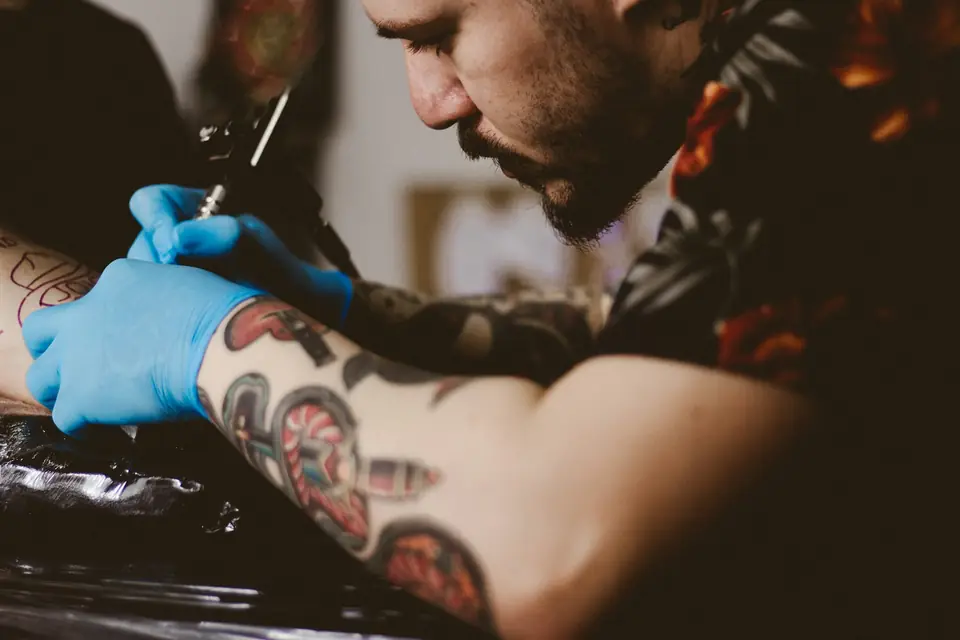
Tattoo artist in gloves working on a client's arm

What your tattoo or piercing studio needs

Custom work needs a plan.

Tattoo and piercing studios book very different work side by side. A piercer might see walk-ins all afternoon while an artist blocks a full day for a back piece that's the third of five sessions. Most custom work starts with a consult and a deposit, and a lot of it starts in an Instagram message.

The setup has to protect long sessions from no-shows and keep each client's forms, drawings and notes together. It should give every artist a calendar and a station, and it should let clients pay the balance and tip without leaving the chair.

Deposits scattered across apps

Deposits come in through three different payment apps, and matching them to bookings is guesswork.

How Square helps Set a deposit for each service in Square Appointments. It's collected when the client books online, and the balance is taken at checkout.

Deposits at booking Online booking

Full-day no-shows

A client skips a six-hour session, and the artist turned down other work to hold the day.

How Square helps A cancellation policy clients see before they book, a card required to finish the booking and a no-show or late-cancel fee charged to that card, all on a paid Square plan.

No-show protection Card on file

Consent forms on clipboards

Release forms live on clipboards and in a folder, and finding one later takes an afternoon.

How Square helps Write your own consent and release forms in Square Contracts and send them for clients to sign electronically. Paid plans can send them automatically when someone books.

Forms and waivers Square Contracts

Artists, apprentices and stations

Two artists want the same station on Saturday, and the apprentice's schedule lives on a whiteboard.

How Square helps Every artist and apprentice gets a calendar with their own services and hours. On Square Premium, stations can be linked to services so they're never double-booked.

Staff calendars Rooms, chairs and equipment

How Payaroo helps

Square, made easier with Payaroo.

Tell us how your business works. We'll help you understand the Square tools that fit.

  1. Tell us how you work Where you take payments, how customers book or order, who's on your team.
  2. See the setup that fits We map the Square hardware, software and payment options to your day — and skip what you don't need.
  3. Apply with Square Square reviews every application and verifies your identity and business before approving an account.
  4. Get up and running Help with setup and onboarding, and a real person to call at Payaroo when questions come up.

Core capabilities

What Square can do for your tattoo or piercing studio

Deposits tied to the booking

Set a deposit per service, fixed or a percentage, and it's collected when the client books online. Clients can't cancel a deposit-backed booking themselves, and deposits can't be combined with package redemption or loyalty rewards.

Your forms, signed ahead

Square Contracts sends the consent and release forms you write for clients to sign electronically. Square doesn't provide tattoo-specific consent forms or age checks for bookings, and it doesn't give legal advice, so the wording and your ID process are up to you.

Calendars for artists and apprentices

Each artist and apprentice has their own services, hours and booking profile, and permissions decide who can see the whole studio's schedule.

Reminders before big sessions

Confirmation requests and reminders go out by text and email at the times you choose, in your own wording, and anyone who hasn't confirmed gets the request again with the reminder.

Hardware options

Hardware that fits a tattoo or piercing studio

You don't need every device. Start with what matches where you take payments — and add more later.

Hardware

Square Terminal

A compact, battery-powered card machine with a built-in receipt printer.

Checkout at the station without a trip to the desk: it's battery-powered, prints receipts and takes tap, chip or swipe.

  • Takes tap, chip and swipe payments
  • The only Square device with a receipt printer built in
  • All-day battery, so it can move to the table, the curb or the job
Hardware

Square Register

A countertop point of sale with two touchscreens: one for your team and one that faces the customer.

A front-counter checkout for busy flash days and walk-in piercings, with the tip screen facing the client.

  • Takes tap and chip payments; add the magstripe reader if you still swipe
  • Customer-facing screen for tips, order confirmation and receipts
  • Runs on its own — no tablet needed
Payments

Tap to Pay on iPhone and Android

Accept contactless cards and phone wallets on your own phone with no extra hardware.

Artists working a convention booth can take contactless payments on a phone. It doesn't work offline, so the booth needs Wi-Fi or cell service.

  • Works in the Square Point of Sale app in the US
  • iPhone XS or newer, or an NFC-capable Android phone on Android 9 or later
  • Needs an internet connection (not available offline)

Software and tools

The software side of your tattoo or piercing studio

How it works

From first message to finished piece

One realistic day at a tattoo or piercing studio, with the setup above doing the work.

  1. Consult booked A client finds your work on Instagram, taps Book Now and books a 20-minute consult with the artist.
  2. Deposit on the session After the consult, she books the first of three sessions online and pays the deposit you set for large pieces.
  3. Forms ahead Your consent and release form goes out when she books, and she signs it before the day of the session.
  4. Drawing on file The artist attaches the final drawing and placement notes to her profile, so the next session picks up from there.
  5. Balance and tip After the session, the artist takes the balance on Square Terminal at the station, and she adds a tip.
  6. Next sitting booked Before she leaves, her next session goes on the same artist's calendar.

Setup finder

Let's find the right setup.

Answer a few quick questions about your tattoo or piercing studio. We'll stop as soon as we can point you to a useful starting setup.

Not sure what you need? Ask Buckaroo.

Tell Buckaroo how your business works and he'll help you figure out which Square tools make sense.

Get started

FAQs

Tattoo & Piercing: common questions

What hardware does a tattoo or piercing studio need?

Many studios put Square Terminal at the station, since it's battery-powered and prints receipts, and add Square Register or Square Stand at the front counter for walk-in piercings and flash. Tap to Pay on a phone covers convention booths. Receipt printers connect separately to Register and Stand.

How do deposits work for tattoo appointments?

In Square Appointments you set a deposit for each service, as a fixed amount or a percentage. The client pays it when booking online, and you take the rest at checkout. Square says deposits work on its Free plan, while requiring full prepayment needs a paid plan. Clients can't cancel a deposit-backed booking on their own.

Can clients sign consent forms online?

Yes, through Square Contracts. You write or customize the form, and clients sign it electronically, on its own or with an appointment; paid plans can send it automatically at booking. Square doesn't provide a tattoo-specific consent form or an age check for bookings, and it doesn't give legal advice, so the wording and ID checks stay with you.

Can I book multi-session pieces and touch-ups?

Book each sitting as its own appointment on the artist's calendar, and keep the drawing, placement and progress notes on the client's profile. Touch-ups can be a separate service with their own length and deposit. For a big piece quoted up front, Square Invoices can also send an estimate the client accepts online.

How much will Square cost my studio?

Square's prices are its own and can change. A studio on Square Free has no monthly subscription to pay (processing fees apply) and still gets online booking, artist calendars and deposits. No-show fees, forms sent automatically at booking and the waitlist need a paid plan. Marketing comes with Square Plus and Premium, and station booking needs Premium. Afterpay depends on eligibility rather than plan. Square's pricing page has the current numbers, and we can walk through them with you.

How does a studio get started with Square?

Tell us how many artists and piercers you have and how you take deposits today. Square reviews every application and verifies identity and business details before approving an account, and Payaroo then helps you set up services, deposits, forms and the Instagram booking button.

Set up booking and deposits for your studio.

Tell us about your artists, your stations and how custom work gets booked, and we'll help you map out the Square setup.

Square reviews and approves every account. Call Payaroo at 972-431-0439.

Square is a product of Block, Inc. Square, the Square logo and related marks are trademarks of Block, Inc. and/or its subsidiaries. Payaroo is an independent company. Payaroo is not Square or Block, and nothing on this page describes a partnership, reseller relationship, certification or endorsement.

Square product details on this page were checked against Square's website on September 25, 2026. Square sets its own features, plans, pricing, fees, eligibility and hardware availability, and these can change. Confirm current details on Square's website before you sign up. Square pricing · Square fees

Square reviews every account application, including identity and business verification, and decides whether to approve it. Payaroo can't guarantee approval, pricing, processing terms or the availability of any feature.

Products and services displayed by Payaroo may be provided by independent third-party companies. Product availability, pricing, features, eligibility, underwriting requirements, funding amounts, insurance benefits, payment-processing terms, and other conditions vary by provider and customer. Payaroo is not a bank, lender, insurer, or healthcare provider unless expressly stated otherwise. Review the applicable provider agreements and disclosures before enrolling in or accepting any product or service. See our Disclosures, Terms of Use and Privacy Policy.