Beauty

Online booking and checkout for brows, lashes, skin and wax.

Clients book a lash fill from Instagram at midnight, confirm by text the day before and pay before they leave the room. Square Appointments runs the book, and Payaroo helps you set it up.

Get started

Square, made easier with Payaroo.

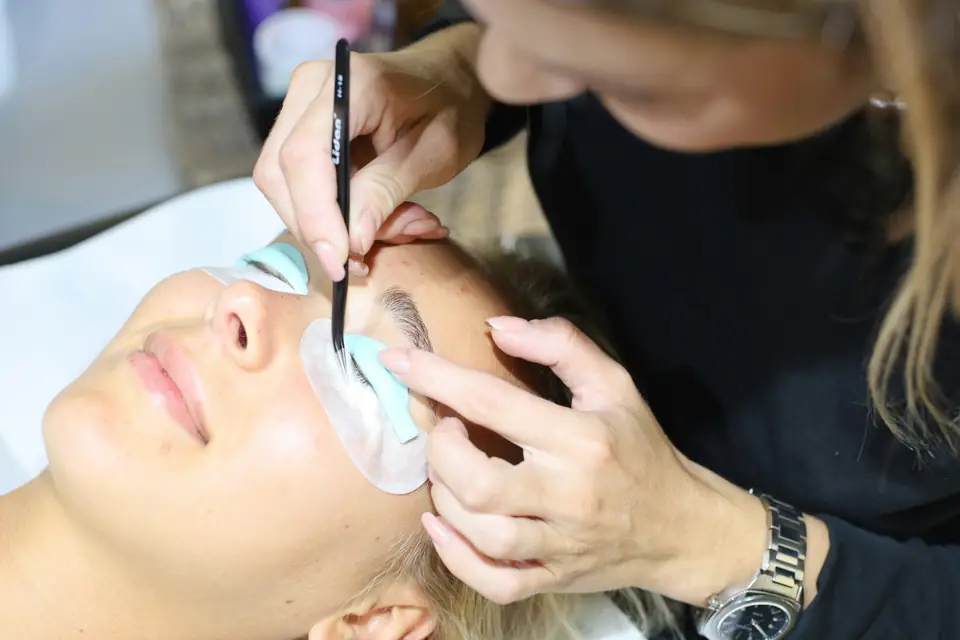
Brow artist shaping a client's eyebrows in a beauty studio

What your beauty salon needs

Short services, long services, one book.

A beauty studio's day is a patchwork. A 15-minute brow wax sits next to a two-hour set of lash extensions, a facial and a bridal makeup trial. Lose one of the long appointments to a late cancel and a big piece of the day goes with it, while the short ones only pay off when clients can grab them without calling.

Clients book from their phones, often after hours, and want the same artist and the same look every time. The setup that fits takes bookings from your Instagram and Google profiles and sends reminders for you. It remembers each client's lash map and brow shape, and it puts a cost on a no-show instead of leaving you to absorb it.

Booking requests after hours

A client messages at 11 p.m. asking for a lash fill, and she waits for a reply until you're between clients tomorrow.

How Square helps A booking site that shows your real openings, with Book Now buttons on Instagram and Facebook and booking from your Google listing, so clients pick their own time.

Online booking Square Appointments

Two-hour no-shows

A full set of extensions blocks off half a morning, and a no-show leaves nothing to fill it with.

How Square helps Take a deposit when clients book online. On a paid plan, add a cancellation policy clients see before they confirm, require a card to book and charge a no-show fee to it.

Deposits at booking No-show protection Card on file

Every client is a little different

Lash curl, length, brow shape and the wax a client prefers live in your head or on a paper card.

How Square helps Client profiles keep visit history, dated notes and photos, so the next appointment starts where the last one left off.

Client profiles and notes Customer Directory

Take-home products

Lash cleanser, brow gel and serums sit on a shelf, and nobody notices a product is running low until it's gone.

How Square helps Add products to the appointment at checkout, track stock counts and get a low-stock alert before the lash cleanser runs out.

Retail sales with services Low-stock alerts

How Payaroo helps

Square, made easier with Payaroo.

Tell us how your business works. We'll help you understand the Square tools that fit.

  1. Tell us how you work Where you take payments, how customers book or order, who's on your team.
  2. See the setup that fits We map the Square hardware, software and payment options to your day — and skip what you don't need.
  3. Apply with Square Square reviews every application and verifies your identity and business before approving an account.
  4. Get up and running Help with setup and onboarding, and a real person to call at Payaroo when questions come up.

Core capabilities

What Square can do for your beauty salon

Booking from the apps clients use

Share your booking site, add Book Now buttons to Instagram and Facebook and take bookings from Google. Square notes that Google booking requires you to own or lease your space and can't take prepayment or no-show protection.

Reminders that ask twice

Confirmation requests and reminders go out by text and email at times you pick, in wording you can edit. If a client hasn't confirmed yet, the reminder asks again.

A policy clients see before they book

Set a cancellation window, require a card to finish an online booking and charge a flat or percentage-based no-show or late-cancel fee to that card. No-show protection needs a paid Square plan.

A waitlist for your busiest days

Clients who can't find a time join a waitlist from your booking site and get a notice when a matching opening appears. It runs through your online booking site and needs a paid plan.

Hardware options

Hardware that fits a beauty salon

You don't need every device. Start with what matches where you take payments — and add more later.

Hardware

Square Terminal

A compact, battery-powered card machine with a built-in receipt printer.

Battery-powered with a receipt printer built in, so checkout and tips can happen in the treatment room instead of at a desk.

  • Takes tap, chip and swipe payments
  • The only Square device with a receipt printer built in
  • All-day battery, so it can move to the table, the curb or the job
Hardware

Square Register

A countertop point of sale with two touchscreens: one for your team and one that faces the customer.

For a studio with a front desk: the client picks a tip on her own screen while you book her next fill on yours.

  • Takes tap and chip payments; add the magstripe reader if you still swipe
  • Customer-facing screen for tips, order confirmation and receipts
  • Runs on its own — no tablet needed
Payments

Tap to Pay on iPhone and Android

Accept contactless cards and phone wallets on your own phone with no extra hardware.

Solo artists in a studio suite, or makeup artists on location, can take contactless cards and phone wallets on an iPhone or Android phone, as long as the phone is online.

  • Works in the Square Point of Sale app in the US
  • iPhone XS or newer, or an NFC-capable Android phone on Android 9 or later
  • Needs an internet connection (not available offline)

Software and tools

The software side of your beauty salon

How it works

A Saturday in the studio

One realistic day at a beauty salon, with the setup above doing the work.

  1. Booked overnight At 11 p.m., a client follows the booking link on your Instagram profile, picks a lash fill and pays the deposit you set.
  2. Confirmed by text The day before, she gets a reminder and confirms. Another client texts to move her brow wax, and Square Assistant reschedules it.
  3. Notes before the fill The artist opens the client's profile to check last visit's lash map and curl before she arrives.
  4. An opening fills A facial cancels at noon. A client on the waitlist gets a notice about the opening and books it from her phone.
  5. Checkout and a tip After the fill, the artist adds a lash cleanser to the sale. The client pays the balance, picks a tip on the screen and books her next fill.

Setup finder

Let's find the right setup.

Answer a few quick questions about your beauty salon. We'll stop as soon as we can point you to a useful starting setup.

Not sure what you need? Ask Buckaroo.

Tell Buckaroo how your business works and he'll help you figure out which Square tools make sense.

Get started

FAQs

Beauty Salons: common questions

What hardware does a brow or lash studio need?

Many studios start with Square Terminal, which prints receipts and moves between the desk and the treatment room. A studio with a front desk may prefer Square Register, or Square Stand with a compatible iPad. Solo artists can begin with Tap to Pay on a phone and add Square Reader later for chip cards.

Can I charge a client who skips a lash appointment?

Yes, with a paid Square plan. You set a cancellation window clients see when they book, require a card to finish the booking and choose a flat or percentage-based no-show or late-cancel fee. Square lets you charge it to the saved card for up to 14 days after the appointment.

Can Square answer clients who want to reschedule?

Square Assistant works with Square Appointments inside Square Messages and can handle confirmations, reschedules and cancellations by text. Replying to clients in Messages is free, while starting new conversations and getting a dedicated business number need a paid plan.

Can I sell lash and skincare products too?

Yes. Items from your Square item library can be added to an appointment when it's booked or at checkout. Stock counts update with each sale, and low-stock alerts tell you which cleansers and serums to reorder.

What does Square cost for a lash or brow studio?

Pricing is set by Square, not Payaroo. Square Free has no monthly subscription (processing fees apply) and includes the booking site and deposits. Paid plans add no-show fees and the waitlist, and loyalty and marketing come with Square Plus and Premium. Square's pricing page has current rates, and we can help you decide whether a solo studio needs more than Free.

How do I get my studio set up?

Tell us what you book most and how many artists you have, and we'll suggest a starting setup. Your application goes to Square, which reviews it and checks your identity and your studio's business details before it approves an account. Then Payaroo helps you add services, set your policies and get your booking link live.

Let's set up your studio's booking.

Tell us about your services, your artists and your no-show headaches, and we'll help you put the Square pieces together.

Square reviews and approves every account. Call Payaroo at 972-431-0439.

Square is a product of Block, Inc. Square, the Square logo and related marks are trademarks of Block, Inc. and/or its subsidiaries. Payaroo is an independent company. Payaroo is not Square or Block, and nothing on this page describes a partnership, reseller relationship, certification or endorsement.

Square product details on this page were checked against Square's website on September 25, 2026. Square sets its own features, plans, pricing, fees, eligibility and hardware availability, and these can change. Confirm current details on Square's website before you sign up. Square pricing · Square fees

Square reviews every account application, including identity and business verification, and decides whether to approve it. Payaroo can't guarantee approval, pricing, processing terms or the availability of any feature.

Products and services displayed by Payaroo may be provided by independent third-party companies. Product availability, pricing, features, eligibility, underwriting requirements, funding amounts, insurance benefits, payment-processing terms, and other conditions vary by provider and customer. Payaroo is not a bank, lender, insurer, or healthcare provider unless expressly stated otherwise. Review the applicable provider agreements and disclosures before enrolling in or accepting any product or service. See our Disclosures, Terms of Use and Privacy Policy.