Food & Beverage

Wherever you park, the line can still pay.

Take cards at the window even when the signal drops, let the lunch crowd order ahead from their phones and bill catering gigs by invoice — Square's mobile tools, with Payaroo helping you set them up.

Get started

Square, made easier with Payaroo.

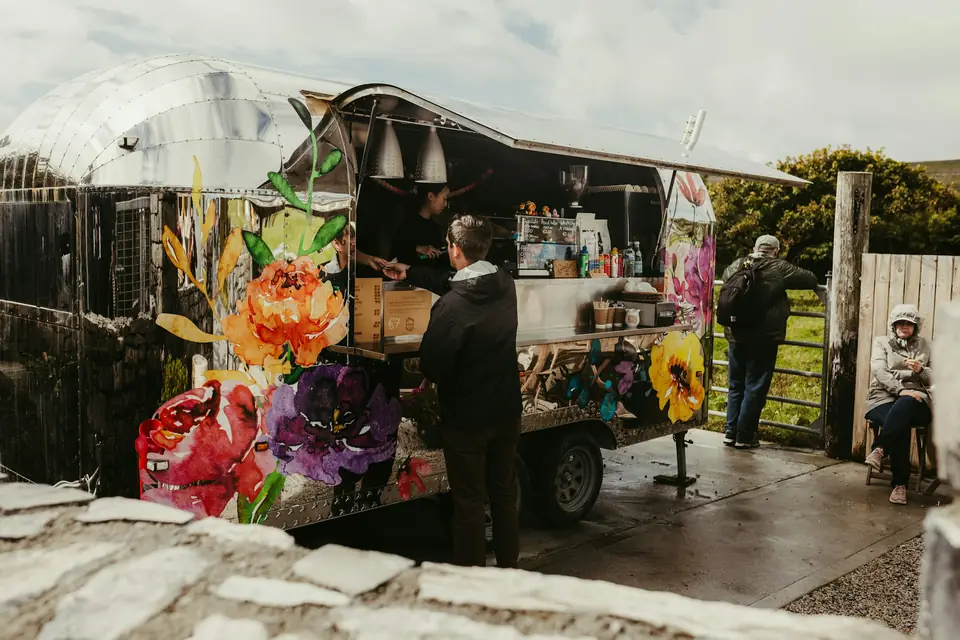
Customers ordering at a colorful food truck outdoors

What your food truck needs

New spot, same line.

A food truck changes address every day. Monday is the office park, Friday is the brewery lot and Saturday is a festival where every vendor is fighting for the same cell signal.

The setup has to fit a tight window: card readers that keep working offline, a way for people to order before they reach the window, a way to tell regulars where you'll be tomorrow and a simple invoice for the wedding that booked you for June.

No signal at the festival

Crowded events swamp the cell network right when the line is longest.

How Square helps Square Terminal, Handheld and Reader keep accepting cards with no connection and send them through once the signal comes back. Square recommends reconnecting within 24 hours, and declined, expired or disputed offline payments are your responsibility.

Offline payments Square Terminal Square Handheld

A line that won't shrink

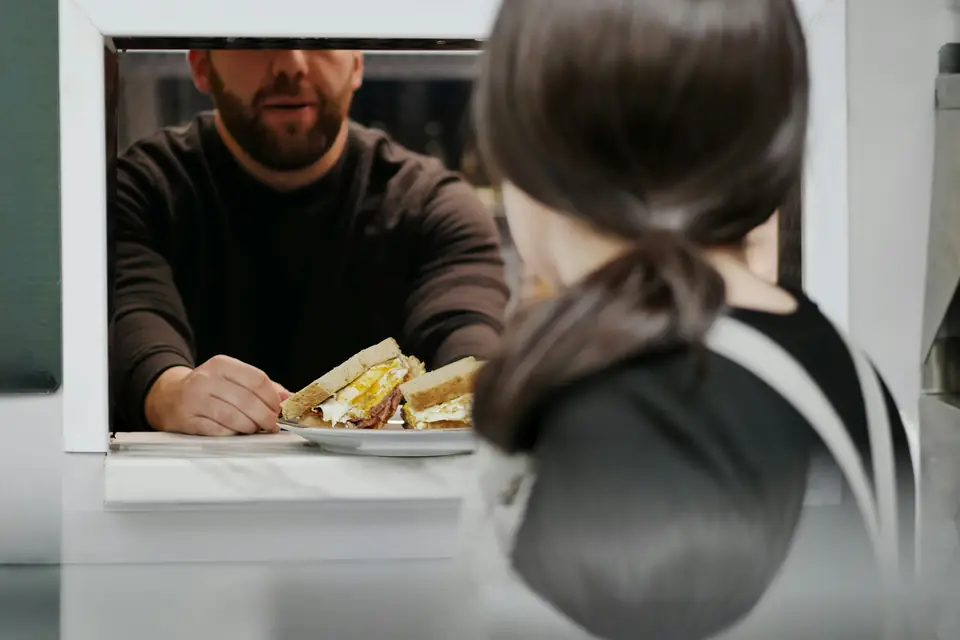
The lunch crowd shows up all at once, and every order is taken, paid for and called to the grill from one window.

How Square helps Let people order and pay ahead on your ordering page, or scan a QR code at the window to order from their phones, so the window becomes a pickup counter. QR code ordering needs a paid Square plan.

Square Online Ordering Order ahead QR code ordering

Telling regulars where you'll be

Your schedule changes weekly, and regulars find out from a social post they may never see.

How Square helps Square Marketing sends email and text campaigns to your customer list, so regulars hear where you're parking this week. It's a message you send, not a live map, and texts go only to people who opted in.

Square Marketing Customer Directory

Catering gigs on the side

Weddings and office parties book weeks out and pay in pieces.

How Square helps Square Invoices sends an estimate, collects a deposit and bills the balance, and clients can pay online by card or bank transfer.

Square Invoices Estimates Deposits and payment schedules

How Payaroo helps

Square, made easier with Payaroo.

Tell us how your business works. We'll help you understand the Square tools that fit.

  1. Tell us how you work Where you take payments, how customers book or order, who's on your team.
  2. See the setup that fits We map the Square hardware, software and payment options to your day — and skip what you don't need.
  3. Apply with Square Square reviews every application and verifies your identity and business before approving an account.
  4. Get up and running Help with setup and onboarding, and a real person to call at Payaroo when questions come up.

Core capabilities

What Square can do for your food truck

What works offline, and what doesn't

Tap and chip cards on Square hardware keep working without a connection; Tap to Pay on a phone, gift cards and keyed-in cards don't. Square recommends reconnecting within 24 hours, since declined, expired or disputed offline payments are yours to cover. You can also cap any single offline sale.

A QR code at the window

Post a code on the truck and people order and pay from their phones while they wait, with the order going straight to your POS and kitchen printer. QR code ordering needs a paid Square plan.

Sales on your phone

The Square Dashboard app shows the day's sales by item as they come in, so you can compare Tuesday's office park with Saturday's brewery lot before planning prep.

Out of birria

When the birria runs out, mark it sold out and it's gone from your ordering page and the delivery apps. Or set a count at the start of service and let it tick down with every order.

Catering quotes that turn into invoices

Send an estimate for the rehearsal dinner, and once it's accepted, turn it into an invoice with a deposit due now and the balance later. Automatic conversion needs a paid plan.

A backup reader in your pocket

Tap to Pay turns an iPhone or Android phone into a contactless reader in the Square Point of Sale app, handy for a second line at a festival. It needs an internet connection, so it can't take payments offline.

Hardware options

Hardware that fits a food truck

You don't need every device. Start with what matches where you take payments — and add more later.

Hardware

Square Terminal

A compact, battery-powered card machine with a built-in receipt printer.

Built-in printer and battery for window service, plus tap, chip and swipe in one device.

  • Takes tap, chip and swipe payments
  • The only Square device with a receipt printer built in
  • All-day battery, so it can move to the table, the curb or the job
Hardware

Square Handheld

A pocket-sized point of sale with a built-in barcode scanner and camera.

Runs quick service mode in your hand and prints kitchen tickets to a Wi-Fi printer on board.

  • Takes tap and chip payments anywhere on your floor
  • Built-in scanner for ringing up and counting items
  • Prints to a network receipt or kitchen printer over Wi-Fi
Hardware

Square Reader (contactless and chip)

A small Bluetooth card reader that pairs with your phone or tablet.

A small Bluetooth reader for an iPad at the window or a phone at a pop-up table.

  • Takes tap and chip cards plus phone wallets
  • Works with iPhone, iPad and Android devices
  • All-day battery; easy to carry to markets, events and job sites
Payments

Tap to Pay on iPhone and Android

Accept contactless cards and phone wallets on your own phone with no extra hardware.

Your phone as a contactless backup when a reader's battery dies, as long as you have signal.

  • Works in the Square Point of Sale app in the US
  • iPhone XS or newer, or an NFC-capable Android phone on Android 9 or later
  • Needs an internet connection (not available offline)

Software and tools

The software side of your food truck

How it works

A day on the road

One realistic day at a food truck, with the setup above doing the work.

  1. Tell them where At 9 a.m. the owner sends a text campaign to opted-in regulars: office park on Fifth Street, 11 to 2.
  2. Orders before you open Orders start arriving from the ordering page with 11:15 and 11:30 pickup times and print in the truck.
  3. Rush at the window The line forms at noon. One person takes orders on the Terminal and prints receipts while a QR code sign lets others order from their phones.
  4. Signal drops The cell signal fades during the rush. The Terminal keeps accepting tap and chip cards offline and uploads them once the signal is back.
  5. Book the next gig Between rushes, the owner sends an estimate for a Saturday wedding from their phone and asks for a deposit.
  6. Check the day Parked for the night, the Dashboard app shows sales by item, so tomorrow's prep list matches what actually sold.

Setup finder

Let's find the right setup.

Answer a few quick questions about your food truck. We'll stop as soon as we can point you to a useful starting setup.

Not sure what you need? Ask Buckaroo.

Tell Buckaroo how your business works and he'll help you figure out which Square tools make sense.

Get started

FAQs

Food Trucks: common questions

Which Square hardware works in a food truck?

Square Terminal is a common starting point because it has a battery, a built-in receipt printer and tap, chip and swipe in one device. Square Handheld fits a tight window and prints to a Wi-Fi printer, and Square Reader pairs with an iPad or phone. Terminal and Handheld connect over Wi-Fi, so plan on a hotspot in the truck.

Can I just use my phone?

For payments, yes: Tap to Pay or Square Reader works with the Square Point of Sale app on a phone. Restaurant modes such as Quick service don't run on phones, though, so run your main menu on a Terminal, Handheld or iPad and keep the phone as a backup.

Can I take cards without internet?

On Square hardware, yes: Terminal, Handheld, Stand and Reader can take tap and chip payments offline and send them once you reconnect. Square recommends reconnecting within 24 hours, and you're responsible for any offline payment that's later declined, expired or disputed. Tap to Pay, gift cards and keyed-in cards don't work offline.

Can customers see where my truck is?

Not on a live map — Square has no live-location feature for trucks. What you can do is use Square Marketing to email and text your customer list about where you'll park this week. Texts go only to customers who opted in, and Square Marketing needs a paid plan.

Can customers order ahead or scan a QR code?

Yes. Square Online Ordering gives you a commission-free page where customers order, pay and choose a pickup time. With QR code ordering, people scan a code at the window and order and pay on their phones, and the order goes to your POS and kitchen printer; that feature needs a paid Square plan.

What will Square cost my truck?

That depends on the plan, and Square's pricing page has the current numbers. Square Free has no monthly subscription (processing fees apply) and covers taking payments at the window. QR code ordering, loyalty and marketing texts to regulars need Square Plus or Premium, and a Square KDS screen, if you add one, is a per-device add-on on a paid plan. We'll help you figure out which of those your truck will actually use.

How do I sign up my food truck?

Tell us where you sell and how you'd like orders to come in, and we'll suggest a starting setup. You'll apply with Square, which reviews the application and verifies your identity and business before approving the account. We can't promise approval, but once you're in, Payaroo helps you get the menu and devices ready.

Ready to take Square on the road?

Tell us where you park and how your window runs, and we'll help you build a mobile setup that fits.

Square reviews and approves every account. Call Payaroo at 972-431-0439.

Square is a product of Block, Inc. Square, the Square logo and related marks are trademarks of Block, Inc. and/or its subsidiaries. Payaroo is an independent company. Payaroo is not Square or Block, and nothing on this page describes a partnership, reseller relationship, certification or endorsement.

Square product details on this page were checked against Square's website on September 25, 2026. Square sets its own features, plans, pricing, fees, eligibility and hardware availability, and these can change. Confirm current details on Square's website before you sign up. Square pricing · Square fees

Square reviews every account application, including identity and business verification, and decides whether to approve it. Payaroo can't guarantee approval, pricing, processing terms or the availability of any feature.

Products and services displayed by Payaroo may be provided by independent third-party companies. Product availability, pricing, features, eligibility, underwriting requirements, funding amounts, insurance benefits, payment-processing terms, and other conditions vary by provider and customer. Payaroo is not a bank, lender, insurer, or healthcare provider unless expressly stated otherwise. Review the applicable provider agreements and disclosures before enrolling in or accepting any product or service. See our Disclosures, Terms of Use and Privacy Policy.