Beauty

Walk-ins, regulars and gel fills, all on one calendar.

Book regulars online, slot walk-ins into the next open station and let clients pay before the top coat goes on. Payaroo helps you set up Square Appointments around the way your salon runs.

Get started

Square, made easier with Payaroo.

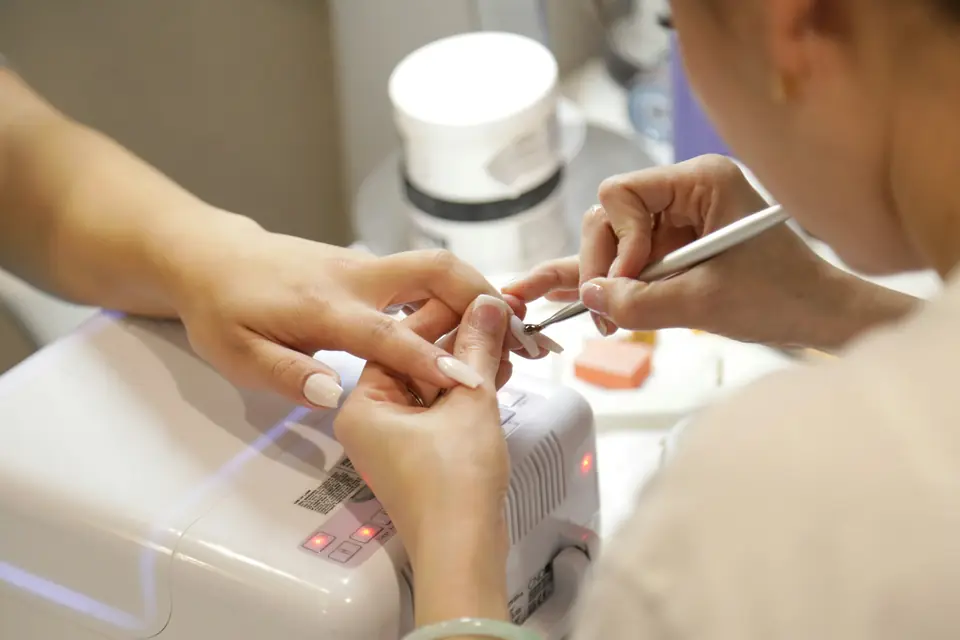
Nail technician working on a client's manicure at a salon table

What your nail salon needs

Half booked, half walk-in.

Few nail salons run on appointments alone. Regulars book their gel fill every few weeks and friends walk in together for pedicures. A Saturday can bring a bridal party that needs several techs at once.

The day runs smoothly when every tech can see who's next in their chair and walk-ins share the calendar with online bookings. At close, tips and commissions should already be sorted by tech instead of waiting on a spreadsheet.

Walk-ins and bookings collide

Two walk-ins arrive ten minutes before a tech's online booking, and the front desk is guessing who's free.

How Square helps Add walk-ins to the same Square Appointments calendar as online bookings, under the tech who takes them, so your booking site only offers times that are still open.

Staff calendars Online booking

Pedicure chairs overbooked

You have four pedicure chairs and five spa pedicures booked for 2 p.m.

How Square helps On Square Premium, link pedicure services to your chairs, and each booking reserves one automatically so the chairs can't be double-booked.

Rooms, chairs and equipment

Combo services, two techs

A client wants a gel manicure and a spa pedicure in one visit, each with a different tech.

How Square helps On a paid plan, one appointment can hold several services and several techs, so the mani and the pedi stay together as one booking.

Staff calendars Square Appointments

Tips and commissions at close

Every tech is paid a little differently, and card tips have to be matched to the right person by hand.

How Square helps Commission tracking on a paid plan credits each tech's commission and tips as the sale happens. Review the totals in reports or import them into Square Payroll.

Commission tracking Tipping at checkout Square Payroll

How Payaroo helps

Square, made easier with Payaroo.

Tell us how your business works. We'll help you understand the Square tools that fit.

  1. Tell us how you work Where you take payments, how customers book or order, who's on your team.
  2. See the setup that fits We map the Square hardware, software and payment options to your day — and skip what you don't need.
  3. Apply with Square Square reviews every application and verifies your identity and business before approving an account.
  4. Get up and running Help with setup and onboarding, and a real person to call at Payaroo when questions come up.

Core capabilities

What Square can do for your nail salon

A calendar for each tech

Each tech gets their own services, hours and booking profile, and permissions decide whether they see only their own day or the whole salon's.

Chairs and stations that can't double-book

Set up pedicure chairs and nail stations as resources and link them to services, and bookings reserve them automatically. Resource booking needs Square Premium.

Tips before the top coat

The client picks a tip on the screen facing her: one of three presets you set, Square's suggested amounts or a custom figure. Clients can settle up before the top coat goes on.

Commissions without a calculator

Give each tech no commission, a flat rate or tiered rates based on service revenue or items sold, then review it in reports or import it into Square Payroll. Commission tracking needs a paid plan.

Gift cards that don't expire

Sell physical and digital gift cards at the counter and online, and redeem them at checkout. Square says its gift cards don't expire and need no separate subscription.

Hardware options

Hardware that fits a nail salon

You don't need every device. Start with what matches where you take payments — and add more later.

Hardware

Square Register

A countertop point of sale with two touchscreens: one for your team and one that faces the customer.

A counter checkout with a screen that faces the client, who picks a tip and taps before heading to the dryer.

  • Takes tap and chip payments; add the magstripe reader if you still swipe
  • Customer-facing screen for tips, order confirmation and receipts
  • Runs on its own — no tablet needed
Hardware

Square Terminal

A compact, battery-powered card machine with a built-in receipt printer.

Bring it to the pedicure chair, so clients can pay and tip without walking to the desk on fresh polish.

  • Takes tap, chip and swipe payments
  • The only Square device with a receipt printer built in
  • All-day battery, so it can move to the table, the curb or the job
Hardware

Square Handheld

A pocket-sized point of sale with a built-in barcode scanner and camera.

Take payment at the station and scan polish barcodes with the built-in scanner when you restock.

  • Takes tap and chip payments anywhere on your floor
  • Built-in scanner for ringing up and counting items
  • Prints to a network receipt or kitchen printer over Wi-Fi

Software and tools

The software side of your nail salon

How it works

Saturday at the nail bar

One realistic day at a nail salon, with the setup above doing the work.

  1. Regulars booked ahead Through the week, regulars book their gel fills online, each with the tech they always see.
  2. Two walk-ins Two friends walk in for pedicures. The front desk books them onto the calendar with the two techs who are free, so no one online can take those slots.
  3. Chairs held On Premium, every pedicure booking holds one of your pedicure chairs, so the 2 p.m. rush can't overbook them.
  4. Pay before the top coat Before the top coat, the tech brings Square Terminal to the chair. The client taps her phone, adds a tip and buys the shade she's wearing.
  5. Close out by tech At close, each tech's services, tips and commissions are in reports, ready to review or import into Square Payroll.

Setup finder

Let's find the right setup.

Answer a few quick questions about your nail salon. We'll stop as soon as we can point you to a useful starting setup.

Not sure what you need? Ask Buckaroo.

Tell Buckaroo how your business works and he'll help you figure out which Square tools make sense.

Get started

FAQs

Nail Salons: common questions

What hardware should a nail salon start with?

A front counter usually starts with Square Register, or Square Stand with a compatible iPad, plus a receipt printer. Salons that take payment at the station add Square Terminal, which has a battery and a built-in printer, or Square Handheld, which also scans polish barcodes.

How do walk-ins work if most clients book online?

Square doesn't have a separate walk-in queue or check-in list. The simplest approach is to add each walk-in to the Square Appointments calendar under the tech who takes them, so walk-ins and online bookings share one calendar. The paid-plan waitlist tells online clients about openings; it isn't a queue for people in the salon.

Can one booking include a manicure and a pedicure with different techs?

Yes, if you're on Square Plus or Premium. One appointment can hold several services and more than one team member, so a gel manicure with one tech and a pedicure with another stay together. To hold a pedicure chair as well, resource booking on Square Premium reserves it with the booking.

How do tips and commissions get split between techs?

Commission tracking on a paid Square plan credits each tech's commission and tips when the sale happens. Rates can be flat or tiered by service revenue or by the number of services or items sold. Totals show up in reports, and you can pull them into Square Payroll if you add it; it's sold separately from Square's plans.

Is Square Free enough for a nail salon?

It depends on how many techs you have and what you want to track. Square decides its own prices and plans. On Square Free you pay processing fees but no monthly subscription, and online booking, tech calendars and deposits are included. Commission tracking, multi-tech bookings, loyalty and marketing need Square Plus or Premium, and reserving pedicure chairs needs Premium. For current rates, check Square's pricing page, and we'll help you compare plans for your salon.

How do we get our salon on Square?

Start by telling us how many techs and stations you run and how many clients walk in. Square then reviews the salon's application, verifying your identity and the business, before it approves an account. Once you're approved, Payaroo helps you load your service menu, set up each tech and get the booking site live.

Bring walk-ins and bookings together.

Tell us about your stations, your techs and your busiest days, and we'll help you map out the Square setup.

Square reviews and approves every account. Call Payaroo at 972-431-0439.

Square is a product of Block, Inc. Square, the Square logo and related marks are trademarks of Block, Inc. and/or its subsidiaries. Payaroo is an independent company. Payaroo is not Square or Block, and nothing on this page describes a partnership, reseller relationship, certification or endorsement.

Square product details on this page were checked against Square's website on September 25, 2026. Square sets its own features, plans, pricing, fees, eligibility and hardware availability, and these can change. Confirm current details on Square's website before you sign up. Square pricing · Square fees

Square reviews every account application, including identity and business verification, and decides whether to approve it. Payaroo can't guarantee approval, pricing, processing terms or the availability of any feature.

Products and services displayed by Payaroo may be provided by independent third-party companies. Product availability, pricing, features, eligibility, underwriting requirements, funding amounts, insurance benefits, payment-processing terms, and other conditions vary by provider and customer. Payaroo is not a bank, lender, insurer, or healthcare provider unless expressly stated otherwise. Review the applicable provider agreements and disclosures before enrolling in or accepting any product or service. See our Disclosures, Terms of Use and Privacy Policy.