Services

From the spring estimate to the last snow push.

Send estimates with a few options, take a deposit before the stone is ordered, bill maintenance customers on a schedule and take a card in the driveway, with Payaroo helping you set up the Square side.

Get started

Square, made easier with Payaroo.

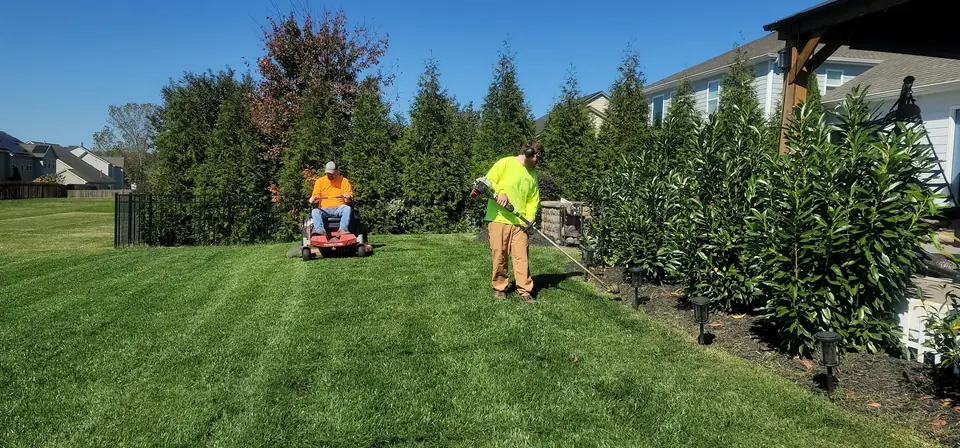
Landscaping crew mowing and trimming a residential lawn

What your landscaping business needs

The season sets the schedule.

Landscaping money comes in two shapes. There's steady maintenance, like mowing, pruning, cleanups and irrigation start-ups, and there are one-off projects like a patio, a retaining wall or a big removal that need an estimate, a deposit and a few payments along the way. Then the snow arrives.

A setup that fits quotes the big jobs with options, bills the maintenance route on its own schedule, nudges late payers without a phone call and lets a crew lead take a card before the trailer pulls out.

Quotes that go quiet

You walk the property, write up the job and then wait to hear back while the calendar fills.

How Square helps Send an estimate with site photos attached that the customer accepts online. On a paid plan, one estimate can offer several options, such as pavers or stamped concrete, and turn into an invoice once accepted.

Estimates Photos and files on invoices

Materials before money

A retaining wall means buying block and gravel before the customer has paid you anything.

How Square helps Ask for a deposit on the invoice and split the balance. On a paid plan, a milestone schedule of up to 12 payments can follow the job from delivery to final walkthrough.

Deposits and payment schedules

A route full of repeat customers

Forty weekly lawns shouldn't mean forty invoices typed up by hand every month.

How Square helps Recurring invoices go out on a schedule you set, with start and end dates for the season, and can charge a saved card or verified bank account automatically.

Recurring invoices Card on file Bank transfer (ACH) payments

Late payers

Following up on overdue invoices takes the evenings you'd rather spend on bids.

How Square helps Square Invoices sends automatic reminders before, on and after the due date. Customers can pay by card or bank transfer, and eligible businesses can offer Afterpay on one-time invoices.

Square Invoices Afterpay

How Payaroo helps

Square, made easier with Payaroo.

Tell us how your business works. We'll help you understand the Square tools that fit.

  1. Tell us how you work Where you take payments, how customers book or order, who's on your team.
  2. See the setup that fits We map the Square hardware, software and payment options to your day — and skip what you don't need.
  3. Apply with Square Square reviews every application and verifies your identity and business before approving an account.
  4. Get up and running Help with setup and onboarding, and a real person to call at Payaroo when questions come up.

Core capabilities

What Square can do for your landscaping business

Estimates with a few ways to say yes

On a paid plan, put several options in one estimate and turn the accepted one into an invoice without retyping it. Attach photos or a design sketch, and add a deposit or a Square contract to the estimate itself.

Maintenance billing on a schedule

Set up an invoice series for each maintenance customer with start and end dates for your season. It can charge their saved card or verified bank account automatically, so nobody retypes the route's invoices each month.

Reminders you don't have to send

Square Invoices can remind customers before, on and after the due date, so the office isn't making collection calls in July. Customers pay by card, Apple Pay, Google Pay or bank transfer.

Paid before the trailer leaves

Take tap, chip or phone-wallet payments on the spot with Square Reader or Tap to Pay. Out of signal range, Square Reader can take payments offline; Square recommends reconnecting within 24 hours, and declined offline payments are yours to cover.

Payroll for the crews

Square Payroll pays employees and contractors, imports timecards from Square and handles tax filings and year-end forms. It's a separate add-on. With Shifts on a paid plan, crews clock in on the Square Team app and payroll picks up the hours.

Hardware options

Hardware that fits a landscaping business

You don't need every device. Start with what matches where you take payments — and add more later.

Hardware

Square Reader (contactless and chip)

A small Bluetooth card reader that pairs with your phone or tablet.

Rides in the truck and pairs with the crew lead's phone for chip and tap payments on site.

  • Takes tap and chip cards plus phone wallets
  • Works with iPhone, iPad and Android devices
  • All-day battery; easy to carry to markets, events and job sites
Payments

Tap to Pay on iPhone and Android

Accept contactless cards and phone wallets on your own phone with no extra hardware.

Nothing extra to carry: take contactless cards and phone wallets on your phone when a homeowner pays in person. It needs a data connection.

  • Works in the Square Point of Sale app in the US
  • iPhone XS or newer, or an NFC-capable Android phone on Android 9 or later
  • Needs an internet connection (not available offline)
Hardware

Square Terminal

A compact, battery-powered card machine with a built-in receipt printer.

If you sell mulch and stone from your yard, it takes payments at the counter and prints the receipt itself.

  • Takes tap, chip and swipe payments
  • The only Square device with a receipt printer built in
  • All-day battery, so it can move to the table, the curb or the job

Software and tools

The software side of your landscaping business

How it works

A week in the busy season

One realistic day at a landscaping business, with the setup above doing the work.

  1. Monday walkthrough You walk a backyard with the homeowner, then send an estimate with two options — flagstone or pavers — and the photos you took.
  2. Tuesday yes They pick pavers and accept online. The estimate becomes an invoice with a deposit due now and the rest split across the job.
  3. Wednesday route Crews run the mowing route. Those customers are on recurring invoices that charge their saved cards on schedule.
  4. Thursday driveway A homeowner flags down the crew lead to pay for extra hedge work, and she takes his card on Square Reader right there.
  5. Friday office Automatic reminders have already nudged two overdue customers, and the week's timecards are ready for Square Payroll.

Setup finder

Let's find the right setup.

Answer a few quick questions about your landscaping business. We'll stop as soon as we can point you to a useful starting setup.

Not sure what you need? Ask Buckaroo.

Tell Buckaroo how your business works and he'll help you figure out which Square tools make sense.

Get started

FAQs

Landscaping & Outdoors: common questions

What do I need to take payments on a job site?

Your phone and the free Square POS app go a long way: Tap to Pay takes contactless cards and phone wallets on an iPhone or Android phone. Add Square Reader for chip cards, or Square Terminal if you want a battery-powered device that prints receipts. Tap to Pay needs an internet connection, while Square Reader can take payments offline. Square recommends reconnecting within 24 hours, and you're responsible for offline payments that are later declined.

How do I bill a seasonal maintenance plan?

Set up a recurring invoice series with start and end dates that match your season. Each invoice goes out on schedule, and with automatic payments turned on it can charge the customer's saved card or verified bank account. Afterpay can't be used on recurring invoices.

Can I take a deposit and progress payments on a big project?

Yes. An invoice can ask for a deposit, either a fixed amount or a percentage, and split the balance. Milestone schedules of up to 12 payments plus the deposit need a paid Square plan. An estimate can carry the same schedule, so the terms are settled before the customer says yes.

Can customers pay by bank transfer or with Afterpay?

Square Invoices takes ACH bank transfers alongside cards, Apple Pay, Google Pay and Cash App Pay. Afterpay is limited to approved business categories and has amount limits, and it can't be used on recurring invoices or payment schedules, so it suits a one-time project invoice rather than the mowing plan.

How can I bill snow removal?

Square handles the two usual approaches. Charge a customer's saved card after each push, with their signed authorization on file, or bill a seasonal contract with recurring invoices that run from your first month to your last.

What does Square cost for a landscaping company?

Square publishes its own pricing. Square Free has no monthly subscription (processing fees apply) and includes invoicing and the POS app. Multi-option estimates, automatic estimate-to-invoice conversion, milestone schedules and crew scheduling come with Square Plus or Premium, and Square Payroll is a separate add-on. Check Square's pricing page for current rates, and we'll help you see which plan your season calls for.

How do I get my landscaping company on Square?

Tell us how you quote, bill and staff the season, and we'll suggest a setup. Square will review your application and verify your identity and your company's details before it approves an account. Payaroo then helps you set up services, estimates and recurring invoices and get your crews connected.

Ready to bill the whole season with Square?

Tell us about your maintenance route, your projects and your crews, and we'll help you put the setup together.

Square reviews and approves every account. Call Payaroo at 972-431-0439.

Square is a product of Block, Inc. Square, the Square logo and related marks are trademarks of Block, Inc. and/or its subsidiaries. Payaroo is an independent company. Payaroo is not Square or Block, and nothing on this page describes a partnership, reseller relationship, certification or endorsement.

Square product details on this page were checked against Square's website on September 25, 2026. Square sets its own features, plans, pricing, fees, eligibility and hardware availability, and these can change. Confirm current details on Square's website before you sign up. Square pricing · Square fees

Square reviews every account application, including identity and business verification, and decides whether to approve it. Payaroo can't guarantee approval, pricing, processing terms or the availability of any feature.

Products and services displayed by Payaroo may be provided by independent third-party companies. Product availability, pricing, features, eligibility, underwriting requirements, funding amounts, insurance benefits, payment-processing terms, and other conditions vary by provider and customer. Payaroo is not a bank, lender, insurer, or healthcare provider unless expressly stated otherwise. Review the applicable provider agreements and disclosures before enrolling in or accepting any product or service. See our Disclosures, Terms of Use and Privacy Policy.