Services

Quote it, fix it and get paid before you leave the driveway.

Send estimates customers approve on their phone, collect deposits on bigger jobs, take cards on site and put maintenance plans on autopay. Payaroo helps you set up the Square tools for each step.

Get started

Square, made easier with Payaroo.

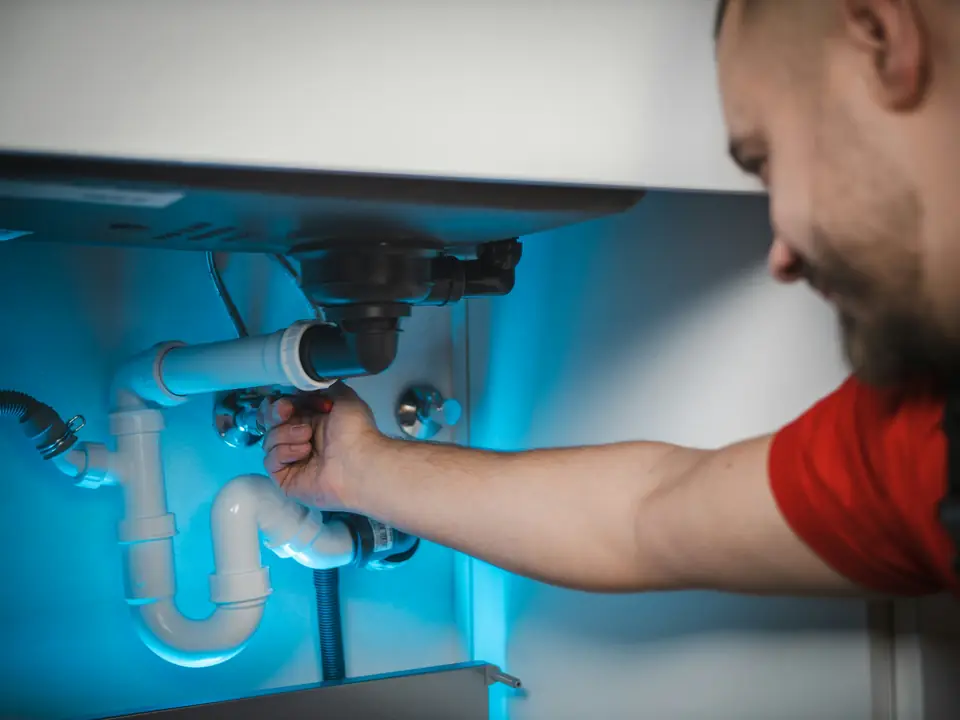
Plumber repairing the pipes under a sink

What your home services business needs

The truck is your office.

Your work happens in basements, attics, crawl spaces and loading docks. A service call can turn into a repair and a repair into a replacement, and the customer wants a firm price before the new part comes off the truck.

What helps is a setup that goes where your techs go: estimates the homeowner approves on the spot, a signed authorization before the big jobs, card payments in the driveway and maintenance agreements that bill on their own.

Commercial clients want the paperwork instead: an invoice with photos of the finished work, a way to pay larger bills by bank transfer and a history of every job on their customer profile.

Prices change at the door

The homeowner wants a firm number before you open the wall, and there's usually more than one way to fix it.

How Square helps On a paid plan, send one estimate with repair and replace options from your phone. The customer approves the one they want online and it becomes an invoice automatically.

Estimates Square Invoices

Big jobs tie up cash

A water heater swap or a new condenser means paying the supply house before the customer pays you.

How Square helps Request a deposit when the estimate is approved and split the balance. A longer install can run on a milestone schedule with a paid plan, and commercial customers can pay by ACH bank transfer.

Deposits and payment schedules Bank transfer (ACH) payments

Getting paid before you drive off

Waiting on a check after you leave means another trip, another call or another month of waiting.

How Square helps Take chip and tap in the driveway with Square Reader and your phone, or use Tap to Pay with no reader at all. Save the card, with a signed authorization, for the next call.

Square Reader (contactless and chip) Tap to Pay on iPhone and Android Card on file

Maintenance plans slip

Tune-up agreements and quarterly pest treatments are steady income, but billing each one by hand gets skipped.

How Square helps Put each plan on a recurring invoice. It goes out on the schedule you set and can charge the customer's saved card or verified bank account automatically.

Recurring invoices Card on file

How Payaroo helps

Square, made easier with Payaroo.

Tell us how your business works. We'll help you understand the Square tools that fit.

  1. Tell us how you work Where you take payments, how customers book or order, who's on your team.
  2. See the setup that fits We map the Square hardware, software and payment options to your day — and skip what you don't need.
  3. Apply with Square Square reviews every application and verifies your identity and business before approving an account.
  4. Get up and running Help with setup and onboarding, and a real person to call at Payaroo when questions come up.

Core capabilities

What Square can do for your home services business

Repair or replace, side by side

Put several options in one estimate, like patching the unit or replacing it, and let the customer choose online. Multi-option estimates and automatic conversion to an invoice need a paid plan; on Square Free you send single estimates and convert them yourself.

Photos of the work on the invoice

Attach up to 10 photos or PDFs to an estimate or invoice: the cracked heat exchanger, the scorched breaker, the warranty sheet. Customers see what they're paying for, and commercial clients get it for their files.

Service agreements that bill themselves

Set up a recurring invoice series for each maintenance plan, with an optional start and end date. Each invoice can charge a saved card or a bank account verified through Plaid, so tune-up season doesn't start with a stack of billing.

A card on file for repeat customers

Square Contracts has a card authorization template. Once a property manager signs it, save their card to the profile and charge each service call from the POS or an invoice without calling for the number.

No signal in the basement

Square Reader and Terminal can keep taking card payments without a connection and process them once you're back in range. Square recommends reconnecting within 24 hours, and you're responsible for offline payments later declined, expired or disputed. Tap to Pay needs a signal.

Service calls booked online

Customers pick a service call and a time on your booking site, and it lands on a tech's calendar with confirmations and reminders. Offer services at the customer's location; collecting their address when they book online needs a paid plan.

Hardware options

Hardware that fits a home services business

You don't need every device. Start with what matches where you take payments — and add more later.

Hardware

Square Reader (contactless and chip)

A small Bluetooth card reader that pairs with your phone or tablet.

Rides in a shirt pocket and uses your phone's connection, so chip and tap work anywhere your phone has service.

  • Takes tap and chip cards plus phone wallets
  • Works with iPhone, iPad and Android devices
  • All-day battery; easy to carry to markets, events and job sites
Payments

Tap to Pay on iPhone and Android

Accept contactless cards and phone wallets on your own phone with no extra hardware.

For a lockout or a quick repair, take contactless cards and phone wallets right on your iPhone or Android phone. It needs a data connection.

  • Works in the Square Point of Sale app in the US
  • iPhone XS or newer, or an NFC-capable Android phone on Android 9 or later
  • Needs an internet connection (not available offline)
Hardware

Square Terminal

A compact, battery-powered card machine with a built-in receipt printer.

Prints a receipt on the spot and takes swipes too. It connects over Wi-Fi, so it suits your office counter or a commercial site with a network.

  • Takes tap, chip and swipe payments
  • The only Square device with a receipt printer built in
  • All-day battery, so it can move to the table, the curb or the job

Software and tools

The software side of your home services business

How it works

A no-heat call on a cold morning

One realistic day at a home services business, with the setup above doing the work.

  1. Booked before breakfast A homeowner books a no-heat call on your booking site at 6:40 a.m. and gets a confirmation right away.
  2. Where's the tech? She texts to ask when you'll arrive. Your office answers from Square Messages, so nobody hands out a personal cell number.
  3. Repair or replace The igniter is cracked on a 20-year-old furnace. Your tech sends one estimate with both options, and she approves the repair from her phone.
  4. Paid in the driveway The approved estimate becomes an invoice with a photo of the old igniter attached. She taps her card on Square Reader before the van backs out.
  5. Signed up for tune-ups She signs a card authorization and joins your maintenance plan. A recurring invoice will charge her card on the plan's schedule, with no reminder calls.

Setup finder

Let's find the right setup.

Answer a few quick questions about your home services business. We'll stop as soon as we can point you to a useful starting setup.

Not sure what you need? Ask Buckaroo.

Tell Buckaroo how your business works and he'll help you figure out which Square tools make sense.

Get started

FAQs

Home & Commercial Services: common questions

What do my techs need to take payments on a job?

A simple start is Square Reader paired to each tech's phone for chip and tap. Tap to Pay takes contactless cards on an iPhone or Android phone with no reader, but it needs a signal. Square Terminal prints receipts and takes swipes; it connects over Wi-Fi, so it fits the office or a commercial site.

Can I give customers repair and replacement options on one estimate?

Yes, on a paid Square plan. One estimate can hold several options, the customer approves the one they want online and it converts to an invoice automatically. On Square Free you can still send estimates and turn an accepted one into an invoice yourself. Estimates can also carry photos, a contract and a deposit request.

Can I bill maintenance agreements automatically?

Yes. A recurring invoice series goes out on the schedule you choose, with optional start and end dates, and can charge a saved card or a verified bank account on its own. Square lists recurring invoices on its free and paid plans.

Can I text customers without using my personal number?

Yes. Square Messages keeps customer texts and emails in one inbox, along with appointment, invoice and receipt messages. Replying is free. Starting a new conversation, say to tell a customer their part came in, needs a paid plan.

How much does Square cost for a plumbing, electrical or HVAC company?

Square sets its own pricing. Square Free has no monthly subscription; you pay processing fees on payments, and it covers invoices, single-option estimates, deposits and recurring invoices. Square Plus and Premium add multi-option estimates that convert automatically, milestone schedules, contracts that must be signed before payment and starting new conversations in Square Messages. Square Payroll is a separate paid add-on. Check Square's pricing page for current rates, and we'll help you work out what your crew needs.

How do I get my service company set up with Square?

Tell us about your trade, your crew and how you bill today, and we'll sketch a setup. You'll apply with Square, which reviews the application and verifies your identity and business before approving an account. Once you're approved, Payaroo helps you add your services, estimate options and techs.

Ready to get paid before you leave the job?

Tell us how your calls come in and how you bill, and we'll map the Square setup for your trucks and your office.

Square reviews and approves every account. Call Payaroo at 972-431-0439.

Square is a product of Block, Inc. Square, the Square logo and related marks are trademarks of Block, Inc. and/or its subsidiaries. Payaroo is an independent company. Payaroo is not Square or Block, and nothing on this page describes a partnership, reseller relationship, certification or endorsement.

Square product details on this page were checked against Square's website on September 25, 2026. Square sets its own features, plans, pricing, fees, eligibility and hardware availability, and these can change. Confirm current details on Square's website before you sign up. Square pricing · Square fees

Square reviews every account application, including identity and business verification, and decides whether to approve it. Payaroo can't guarantee approval, pricing, processing terms or the availability of any feature.

Products and services displayed by Payaroo may be provided by independent third-party companies. Product availability, pricing, features, eligibility, underwriting requirements, funding amounts, insurance benefits, payment-processing terms, and other conditions vary by provider and customer. Payaroo is not a bank, lender, insurer, or healthcare provider unless expressly stated otherwise. Review the applicable provider agreements and disclosures before enrolling in or accepting any product or service. See our Disclosures, Terms of Use and Privacy Policy.