Retail

Every size and color, tracked from the rack to your website.

Square's retail tools give each size and color its own SKU and stock count, check shoppers out anywhere on the floor and keep your website in step with the racks. Payaroo helps you set it all up.

Get started

Square, made easier with Payaroo.

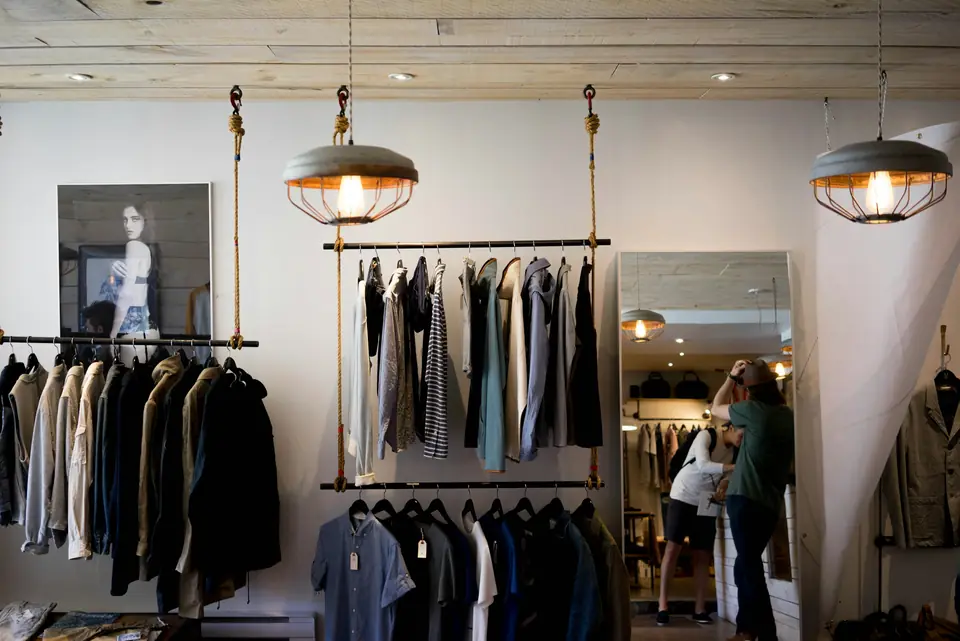
Menswear boutique with shirts and jackets on hanging racks

What your clothing store needs

One style, many SKUs.

A jacket in four colors and six sizes is really 24 things to count, reorder and sell. Shoppers try on two sizes, come back a week later to swap one and check your website first to see if the medium is still there.

A good setup gives every variation its own SKU and count, rings up a sale by the fitting rooms as easily as at the counter and keeps the numbers on your website matched to what's hanging on the rack.

Sizes and colors multiply

Every new style adds a grid of sizes and colors, and a spreadsheet can't tell you what's actually on the rack.

How Square helps Item options build every size and color combination at once, each with its own price, cost, SKU and stock count. A spreadsheet import loads a whole season's line.

Item variations Bulk item import

Exchanges at the counter

A customer is back with a medium that should have been a large, and the line behind them keeps growing.

How Square helps An exchange charges or refunds the price difference in one transaction, the medium goes back into stock and a refund can land on the card, in cash or on a Square gift card as store credit.

Returns and exchanges Square Gift Cards

The rack and the website disagree

A shopper orders the last size 8 online an hour after it sold off the rack.

How Square helps Square Websites runs on the same item library as your register, so a sale in either place updates one stock count. Shoppers can also buy online and pick up in store.

Online and in-store inventory in sync Square Websites Pickup, local delivery and shipping

Reordering by feel

Middle sizes sell out in the styles people love while the extra smalls sit, and reorders start when someone spots a gap on the rail.

How Square helps Set a low-stock threshold and anything under it is flagged and emailed to you after close. On a paid plan, email the reorder to your vendor as a purchase order and receive it into stock when it arrives.

Low-stock alerts Purchase orders and vendors

How Payaroo helps

Square, made easier with Payaroo.

Tell us how your business works. We'll help you understand the Square tools that fit.

  1. Tell us how you work Where you take payments, how customers book or order, who's on your team.
  2. See the setup that fits We map the Square hardware, software and payment options to your day — and skip what you don't need.
  3. Apply with Square Square reviews every application and verifies your identity and business before approving an account.
  4. Get up and running Help with setup and onboarding, and a real person to call at Payaroo when questions come up.

Core capabilities

What Square can do for your clothing store

Sizes and colors as variations

Combine option sets such as size and color and Square builds every variation of a style at once. Each one carries its own price, cost, SKU and stock count at each location, so you know exactly which sizes are left.

A barcode on every tag

Print barcode labels from the Dashboard, Square Register or the Square POS app on iPhone or iPad, using a supported printer such as the Zebra ZD411. Every variation then scans at checkout. Label printing needs a paid Square plan.

Exchanges in one transaction

Swap a pair of jeans for the next size up and Square charges or refunds the difference, then puts the returned pair back into stock. Refunds can go to the card, to cash or onto a Square gift card as store credit.

Profiles that remember sizes

Customer profiles show purchase history, and you can add dated notes such as a regular's sizes, favorite fits or what they're hoping arrives next season. Whoever is on the floor can pull it up while helping them.

Know what sold through

Record unit costs to see cost of goods, profit and margin, plus sell-through and aging inventory reports that show which styles earned a reorder and which are ready for a markdown. These reports need a paid Square plan.

Hardware options

Hardware that fits a clothing store

You don't need every device. Start with what matches where you take payments — and add more later.

Hardware

Square Register

A countertop point of sale with two touchscreens: one for your team and one that faces the customer.

The main counter: staff ring up on one screen while the shopper follows each item and pays on the other, with a scanner and receipt printer plugged in.

  • Takes tap and chip payments; add the magstripe reader if you still swipe
  • Customer-facing screen for tips, order confirmation and receipts
  • Runs on its own — no tablet needed
Hardware

Square Handheld

A pocket-sized point of sale with a built-in barcode scanner and camera.

A pocket device with a built-in scanner that takes tap and chip payments by the fitting rooms and doubles as a stock-counting tool.

  • Takes tap and chip payments anywhere on your floor
  • Built-in scanner for ringing up and counting items
  • Prints to a network receipt or kitchen printer over Wi-Fi
Accessory

Barcode scanners

USB and Bluetooth scanners for ringing up items by barcode (Square Handheld has one built in).

A USB or Bluetooth scanner at the counter reads hang tags in one pass, so nobody scrolls through twelve versions of the same tee.

  • Supported brands include Honeywell, Zebra, Socket Mobile and Magellan
Accessory

Barcode label printers

Printers for item barcode labels, so every product can be scanned at checkout.

A Zebra label printer puts a scannable barcode on stock that shows up from the vendor without one.

  • Supported models include Zebra ZD411 and ZD410
  • Label printing is part of Square's advanced inventory tools on paid plans

Software and tools

The software side of your clothing store

How it works

A busy day on the sales floor

One realistic day at a clothing store, with the setup above doing the work.

  1. New stock checks in A box of linen shirts arrives. You receive it against the purchase order, print labels for the sizes that came without barcodes and hang them out.
  2. Help at the rail A shopper wants the sage shirt in a large. A team member looks it up on Square Handheld and sees two larges in stock.
  3. Pay by the fitting rooms The shopper settles on two shirts. The team member scans both tags, and the shopper taps a phone to pay without walking back to the counter.
  4. An exchange at the counter A customer trades yesterday's jeans in a 30 for a 32. The exchange goes through as one transaction and the 30 goes back into stock.
  5. Pickup after work A dress ordered on your website for in-store pickup waits in a bag behind the counter until the customer stops by at six.
  6. Close the day The low-stock email lists what's running thin, and the sales report shows which styles carried the day.

Setup finder

Let's find the right setup.

Answer a few quick questions about your clothing store. We'll stop as soon as we can point you to a useful starting setup.

Not sure what you need? Ask Buckaroo.

Tell Buckaroo how your business works and he'll help you figure out which Square tools make sense.

Get started

FAQs

Clothing: common questions

Which Square hardware fits a clothing store?

A common starting point is Square Register at the counter with a barcode scanner and receipt printer, or Square Stand if you already use an iPad. Square Handheld adds checkout and stock counts anywhere on the floor, and a Zebra label printer tags new arrivals on a paid plan. For trunk shows and pop-ups, Square Reader or Tap to Pay on your phone travels light.

How does Square handle sizes and colors?

In Retail mode you add options such as size and color to a style, and Square creates every combination as a variation. Each variation has its own price, cost, SKU and stock count at each location. A new season's line can come in from a spreadsheet, variations and all, instead of being typed in one piece at a time.

Can shoppers buy online and pick up in store?

Yes. Square Websites shares your item library, so in-store and online sales update the same stock. At checkout, shoppers can choose in-store or curbside pickup, local delivery or shipping. On a paid plan, Square Marketing can also remind shoppers who left a jacket sitting in their cart.

Can I offer Afterpay to shoppers?

Afterpay is available to approved business categories, with limits on the amount per purchase. In the store, the shopper taps the Afterpay Card saved in Apple Pay, Google Pay or Samsung Pay on your Square device; online, it shows up at checkout on your Square website. Either way you're paid up front, and it isn't available in offline mode.

Can I track commission for sales associates?

Yes, on a paid plan. Square's commission tracking lets you give each associate a flat or tiered rate, including on items sold. You can review what they've earned in reports and import it into Square Payroll, which is a separate paid add-on.

What does Square cost for a clothing store?

Square sets its own pricing, and for a clothing store the plan question mostly comes down to inventory tools. Square Free carries no monthly subscription, just processing fees on card sales. Barcode label printing, purchase orders and cost and margin reports need Square Plus or Premium. So do loyalty and email or text marketing. Square's pricing page has current rates, and we'll help you judge whether a paid plan pays off for your racks.

What happens when I'm ready to sign up?

Tell us how many styles you carry and whether you sell online, and we'll sketch the setup. Square does its own review of each application, verifying identity and business details before an account is approved. After that, Payaroo helps with setup, from importing items and variations to connecting your scanner and label printer.

Want your racks and your website on the same count?

Walk us through a typical week, from new arrivals to exchanges, and we'll help you choose the Square setup that fits your store.

Square reviews and approves every account. Call Payaroo at 972-431-0439.

Square is a product of Block, Inc. Square, the Square logo and related marks are trademarks of Block, Inc. and/or its subsidiaries. Payaroo is an independent company. Payaroo is not Square or Block, and nothing on this page describes a partnership, reseller relationship, certification or endorsement.

Square product details on this page were checked against Square's website on September 25, 2026. Square sets its own features, plans, pricing, fees, eligibility and hardware availability, and these can change. Confirm current details on Square's website before you sign up. Square pricing · Square fees

Square reviews every account application, including identity and business verification, and decides whether to approve it. Payaroo can't guarantee approval, pricing, processing terms or the availability of any feature.

Products and services displayed by Payaroo may be provided by independent third-party companies. Product availability, pricing, features, eligibility, underwriting requirements, funding amounts, insurance benefits, payment-processing terms, and other conditions vary by provider and customer. Payaroo is not a bank, lender, insurer, or healthcare provider unless expressly stated otherwise. Review the applicable provider agreements and disclosures before enrolling in or accepting any product or service. See our Disclosures, Terms of Use and Privacy Policy.