Food & Beverage

Large, thin crust, extra pepperoni, out for delivery.

Size, crust and topping modifiers, kitchen screens for the Friday rush, your own pickup and delivery ordering page and phone orders taken by card — Square's pizzeria tools, with Payaroo helping you set them up.

Get started

Square, made easier with Payaroo.

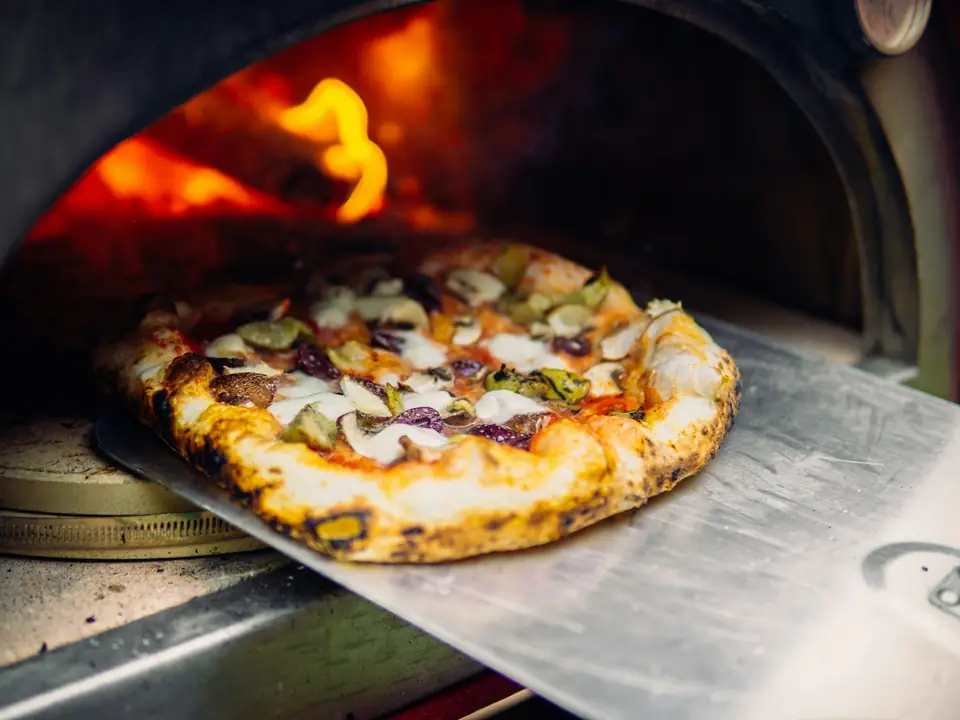
Pizza on a peel coming out of a wood-fired oven

What your pizzeria needs

Friday night decides the week.

A pizzeria takes orders from everywhere at once: the phone, the counter, your ordering page, DoorDash and Uber Eats. Each pie has a size, a crust and a stack of toppings, and every choice changes the price.

The kitchen needs every order in one queue, with pies, wings and salads sent to the right station. Drivers need to know what's ready, and the owner needs to see how each location did without calling around at close.

Toppings add up

Large, thin crust, extra cheese, pepperoni, mushrooms — every choice changes the price and has to reach the make line exactly.

How Square helps Modifier groups for size, crust and toppings, with each option priced and limits set, so every pie rings up the same way at the counter, online and in the delivery apps.

Modifiers and options

The Friday rush

A stack of tickets, one printer and cooks reading orders over each other's shoulders.

How Square helps Square KDS sends each item to its station — pies to the make line, wings to the fryer, salads to cold prep — with timers on every ticket and an expo screen to bring orders together.

Kitchen ticket routing Square KDS (kitchen display)

Phone orders

Plenty of regulars still call in, and reading card numbers over a noisy line invites mistakes.

How Square helps Key the card into the Square POS app while the caller is on the line, or text a payment link they can pay from their own phone. Keyed payments need a connection and don't work offline.

Keyed-in card payments Square Payment Links

Delivery on your terms

Delivery apps bring new customers, but your regulars could be ordering from you directly.

How Square helps Square Online Ordering takes pickup and delivery orders commission-free, with your own drivers or on-demand couriers covering the zones you set, while DoorDash, Uber Eats and Grubhub orders land in the same queue.

Square Online Ordering Delivery app integrations

How Payaroo helps

Square, made easier with Payaroo.

Tell us how your business works. We'll help you understand the Square tools that fit.

  1. Tell us how you work Where you take payments, how customers book or order, who's on your team.
  2. See the setup that fits We map the Square hardware, software and payment options to your day — and skip what you don't need.
  3. Apply with Square Square reviews every application and verifies your identity and business before approving an account.
  4. Get up and running Help with setup and onboarding, and a real person to call at Payaroo when questions come up.

Core capabilities

What Square can do for your pizzeria

Size, crust, toppings

Make size and crust required choices and toppings an optional set with a maximum, each option with its own price. The same groups show at the counter, on your ordering page and in the delivery apps.

Stations for the rush

Send pies to the make line, wings to the fryer and salads to cold prep, then bring the order together on an expo screen before it goes to the counter or a driver. Square KDS runs on a paid plan with a per-device add-on.

Pickup and delivery, your way

Offer pickup with prep times and a curbside option, and delivery by your own drivers or on-demand couriers inside the zones you choose, all from a commission-free ordering page.

Ovens stay hot when the Wi-Fi doesn't

Square Register, Terminal and Handheld keep taking tap and chip payments if the internet drops. Square recommends reconnecting within 24 hours, and you're on the hook for offline payments that are declined, expire or get disputed. Keyed phone orders need a connection.

Friday regulars, rewarded

Customers join with a phone number and earn by visit, by spend or on specific items — say, points on every large — then redeem in store or online. Loyalty needs a paid Square plan.

Hardware options

Hardware that fits a pizzeria

You don't need every device. Start with what matches where you take payments — and add more later.

Hardware

Square Register

A countertop point of sale with two touchscreens: one for your team and one that faces the customer.

At the counter for walk-ins and pickups, with a screen that faces the customer.

  • Takes tap and chip payments; add the magstripe reader if you still swipe
  • Customer-facing screen for tips, order confirmation and receipts
  • Runs on its own — no tablet needed
Hardware

Square KDS (kitchen display)

A kitchen display app that replaces paper tickets and sends each order to the right prep station.

Screens for the make line, the fryer and expo, fed by every channel.

  • Runs on Android tablets or Square's kitchen touchscreens
  • Pulls in orders from the POS, online ordering and delivery apps
  • Prep and expo stations, timers and kitchen performance reports
Hardware

Square Handheld

A pocket-sized point of sale with a built-in barcode scanner and camera.

For dine-in floors and curbside pickup: take the order or the payment wherever the customer is.

  • Takes tap and chip payments anywhere on your floor
  • Built-in scanner for ringing up and counting items
  • Prints to a network receipt or kitchen printer over Wi-Fi
Hardware

Square Kiosk

A self-ordering station: an iPad in Square's kiosk enclosure where customers build, customize and pay for their own orders.

Lets slice-shop customers build and pay for their own orders.

  • Takes tap and chip payments at the kiosk
  • Works alongside a Square POS device that routes orders to kitchen printers or a kitchen display
  • Wall, counter and floor-stand mounting options
Paid plan + per-device add-onGet started with Payaroo: Square Kiosk

Software and tools

The software side of your pizzeria

How it works

A Friday dinner rush

One realistic day at a pizzeria, with the setup above doing the work.

  1. Phones light up At 5:30 a regular calls in two large pies and wings. The cashier builds each pie with size, crust and toppings and keys in the card.
  2. Orders pile in Your ordering page sends pickup and delivery orders into the same queue as DoorDash and Uber Eats tickets.
  3. Make line and oven Each pie shows on the make-line screen and the wings on the fryer screen, and expo matches them up when the pie comes out of the oven.
  4. Out the door A driver grabs the next delivery, and a pickup customer pays with the text link the cashier sent after the call.
  5. Close each shop After close, the owner checks each location's sales and item reports from the Dashboard app at home.

Setup finder

Let's find the right setup.

Answer a few quick questions about your pizzeria. We'll stop as soon as we can point you to a useful starting setup.

Not sure what you need? Ask Buckaroo.

Tell Buckaroo how your business works and he'll help you figure out which Square tools make sense.

Get started

FAQs

Pizzerias: common questions

What Square hardware does a pizzeria need?

A common setup is Square Register and a receipt printer at the counter plus Square KDS screens for the make line, fryer and expo. Add Square Handheld if you seat guests or run curbside, and Square Kiosk for self-ordering at a slice counter. KDS and Kiosk each need a paid plan plus a per-device add-on, and restaurant modes run on Square hardware or an iPad rather than a phone.

Can Square do half-and-half toppings?

Not as a built-in feature — Square doesn't list a half-and-half topping option. Pies are set up with modifier groups for size, crust and toppings. If split pies are a big part of your menu, tell us how you ring them up today and we'll help you test a menu setup before your first Friday night.

How do I take phone orders?

Enter the order at the counter and key the caller's card into the Square POS app, or text them a payment link to pay on their own phone. Keyed payments don't work offline. For a later pickup time, enter the call as a future order.

Can I run my own delivery?

Yes. Square Online Ordering supports delivery by your own drivers or by on-demand couriers within delivery zones you set, alongside pickup with prep times and a curbside option. DoorDash, Uber Eats and Grubhub orders can come into Square too.

What does Square cost a pizzeria?

Pricing is Square's call, and its pricing page has the current numbers. Square Free has no monthly subscription (processing fees apply) and includes the restaurant point of sale and online ordering. Kitchen displays and kiosks need Square Plus or Premium plus a per-device add-on, loyalty comes with the paid plans and advanced reporting is part of Square Premium. If you run several shops, we'll help you weigh which plan fits.

How do I switch my pizzeria to Square?

Tell us how orders reach you now — phone, counter, apps, your own site — and how many locations you run, and we'll outline the setup. Square reviews your application and verifies the owner and the business before approving an account, and Payaroo helps you build the menu, modifiers and kitchen stations from there.

Ready for a smoother Friday night?

Tell us how orders come in and how your kitchen runs, and we'll help you set up Square around your pies.

Square reviews and approves every account. Call Payaroo at 972-431-0439.

Square is a product of Block, Inc. Square, the Square logo and related marks are trademarks of Block, Inc. and/or its subsidiaries. Payaroo is an independent company. Payaroo is not Square or Block, and nothing on this page describes a partnership, reseller relationship, certification or endorsement.

Square product details on this page were checked against Square's website on September 25, 2026. Square sets its own features, plans, pricing, fees, eligibility and hardware availability, and these can change. Confirm current details on Square's website before you sign up. Square pricing · Square fees

Square reviews every account application, including identity and business verification, and decides whether to approve it. Payaroo can't guarantee approval, pricing, processing terms or the availability of any feature.

Products and services displayed by Payaroo may be provided by independent third-party companies. Product availability, pricing, features, eligibility, underwriting requirements, funding amounts, insurance benefits, payment-processing terms, and other conditions vary by provider and customer. Payaroo is not a bank, lender, insurer, or healthcare provider unless expressly stated otherwise. Review the applicable provider agreements and disclosures before enrolling in or accepting any product or service. See our Disclosures, Terms of Use and Privacy Policy.