Food & Beverage

Move the line. Fire the ticket. Hand off the bag.

Counter checkout, self-order kiosks, kitchen screens and delivery-app orders in one Square setup built around quick service mode, with Payaroo helping you pick the pieces and get them running.

Get started

Square, made easier with Payaroo.

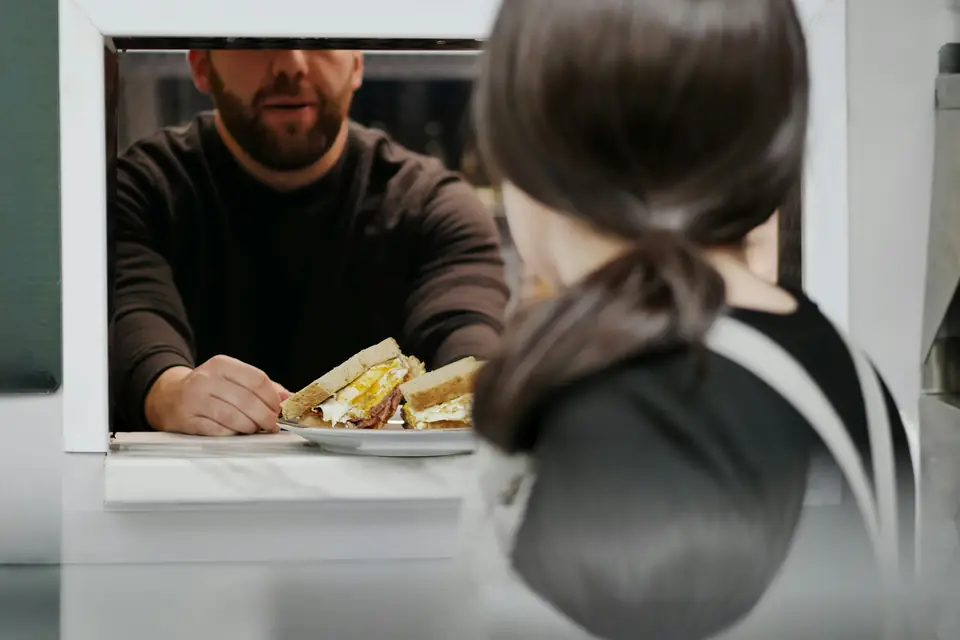
Counter worker handing a breakfast sandwich through a service window

What your quick service restaurant needs

Lunch is won or lost in minutes.

Quick service lives on throughput. A guest orders a combo, swaps the side, adds cheese and holds the onions, and that ticket has to reach the grill, the fryer and the expo window exactly as rung up while more guests wait behind them and delivery drivers crowd the pickup shelf.

The setup that works takes orders from every direction — counter, kiosk, your own ordering page and the delivery apps — and funnels them into one kitchen queue. It also shows labor against sales hour by hour, so a lunch-sized crew isn't still on the clock through the afternoon lull.

The noon line backs up

A line to the door, one cashier and guests reading the menu board for the first time at the register.

How Square helps Square Kiosk lets guests build and pay for their own orders while the cashier handles the rest, and Square Handheld takes orders from guests still waiting in line.

Square Kiosk Square Handheld Square Register

Combos and swaps

Make it a combo, swap fries for onion rings, add bacon, no pickles — and every change moves the price.

How Square helps Build each combo as one item with required side and drink choices, and price the upgrades inside those modifier sets, so the cashier and the kiosk charge the same way every time.

Modifiers and options

Orders from every direction

Counter, kiosk, online and delivery-app tickets all hit the same line cooks, often on different printers.

How Square helps Square KDS routes each item to its station and pulls in online and delivery-app orders. Mark an item 86'd once and it comes off your ordering page and the delivery apps too.

Kitchen ticket routing Delivery app integrations Sold-out (86) controls

Staffing the rush, not the lull

Schedules built on gut feel leave you short at noon and paying a full crew through the slow afternoon.

How Square helps Square Shifts handles schedules and timecards, and the labor-vs-sales report lines up hourly labor cost against net sales so next week's schedule follows the rush.

Square team management (Shifts) Restaurant reporting

How Payaroo helps

Square, made easier with Payaroo.

Tell us how your business works. We'll help you understand the Square tools that fit.

  1. Tell us how you work Where you take payments, how customers book or order, who's on your team.
  2. See the setup that fits We map the Square hardware, software and payment options to your day — and skip what you don't need.
  3. Apply with Square Square reviews every application and verifies your identity and business before approving an account.
  4. Get up and running Help with setup and onboarding, and a real person to call at Payaroo when questions come up.

Core capabilities

What Square can do for your quick service restaurant

Combos that ring up right

Make the combo an item with a required side and drink, then add optional extras — cheese, bacon, sauce on the side — each with its own price. Minimum and maximum selections stop a cashier or a kiosk guest from skipping a step.

Every item to its station

Square KDS sends fries to the fryer screen and burgers to the grill, with an expo screen that brings each order back together and timers that flag tickets running long. KDS needs a paid Square plan plus a per-device add-on.

Sold out means sold out everywhere

86 the spicy chicken once and it drops off the register, your ordering page and the delivery apps. For limited items, set a starting count that goes down as orders come in from each channel.

Breakfast ends on schedule

Build a breakfast menu and a lunch menu and give each its own hours and channels. The changeover then happens by itself on the POS, the kiosk, your ordering page and the delivery apps.

Labor against sales

Compare hourly labor cost with net sales, check scheduled against actual hours and see which combos and add-ons carry the day in item and modifier reports. Labor-vs-sales reporting needs a paid Square plan.

A reason to come back Thursday

Guests join Square Loyalty with a phone number at the register or the kiosk and earn by visit, by spend or on specific items, then redeem in store or online. Loyalty comes with Square Plus and Premium.

Hardware options

Hardware that fits a quick service restaurant

You don't need every device. Start with what matches where you take payments — and add more later.

Hardware

Square Register

A countertop point of sale with two touchscreens: one for your team and one that faces the customer.

The main counter station: your cashier rings up on one side while guests check the order and tap on the other.

  • Takes tap and chip payments; add the magstripe reader if you still swipe
  • Customer-facing screen for tips, order confirmation and receipts
  • Runs on its own — no tablet needed
Hardware

Square Kiosk

A self-ordering station: an iPad in Square's kiosk enclosure where customers build, customize and pay for their own orders.

Self-ordering for guests who'd rather tap through the menu than read the board; a Square POS device alongside it routes the tickets.

  • Takes tap and chip payments at the kiosk
  • Works alongside a Square POS device that routes orders to kitchen printers or a kitchen display
  • Wall, counter and floor-stand mounting options
Paid plan + per-device add-onGet started with Payaroo: Square Kiosk
Hardware

Square KDS (kitchen display)

A kitchen display app that replaces paper tickets and sends each order to the right prep station.

Kitchen screens for the grill, the fryer and expo, fed by counter, kiosk, online and delivery orders.

  • Runs on Android tablets or Square's kitchen touchscreens
  • Pulls in orders from the POS, online ordering and delivery apps
  • Prep and expo stations, timers and kitchen performance reports
Hardware

Square Handheld

A pocket-sized point of sale with a built-in barcode scanner and camera.

Line-busting at lunch: take orders and card payments from guests before they reach the counter.

  • Takes tap and chip payments anywhere on your floor
  • Built-in scanner for ringing up and counting items
  • Prints to a network receipt or kitchen printer over Wi-Fi

Software and tools

The software side of your quick service restaurant

How it works

A weekday lunch rush

One realistic day at a quick service restaurant, with the setup above doing the work.

  1. Lunch menu takes over At 11:00 the lunch menu replaces breakfast on its own at the counter, on the kiosk and in the delivery apps.
  2. Kiosk and counter A guest builds a double burger combo on the kiosk and swaps in onion rings, while the cashier rings up a family of five at the Register.
  3. Tickets split by station The burgers go to the grill screen and the rings and fries to the fryer. The expo screen pulls the order back together for the bag.
  4. Delivery joins the queue An Uber Eats order lands in the same queue. When the rings run out, a cook marks them sold out and they drop off the apps and your ordering page.
  5. Check the numbers After the rush, the labor-vs-sales report shows how the noon crew matched noon sales, and the manager adjusts next week's schedule.

Setup finder

Let's find the right setup.

Answer a few quick questions about your quick service restaurant. We'll stop as soon as we can point you to a useful starting setup.

Not sure what you need? Ask Buckaroo.

Tell Buckaroo how your business works and he'll help you figure out which Square tools make sense.

Get started

FAQs

Quick Service Restaurants: common questions

What hardware does a quick service restaurant need?

A typical counter starts with Square Register and a receipt printer, plus Square KDS screens for the grill, fryer and expo line. Add Square Kiosk when guests should order for themselves and Square Handheld to take orders in line at lunch. Quick service mode runs on an iPad or Square hardware, not on a phone, and KDS and Kiosk each need a paid Square plan plus a per-device add-on.

Can Square handle combos and meal deals?

Yes, with modifiers. Make the combo an item, add a required set for the side and another for the drink, and price upgrades like large fries or onion rings inside those sets. The same combo shows up on the POS, the kiosk, your ordering page and the delivery apps.

Will online and delivery orders mess up the kitchen?

They don't have to. Orders from Square Online Ordering and from DoorDash, Uber Eats and Grubhub land in Square's Order Manager and print or show on Square KDS next to counter orders. Anything you mark sold out comes off those channels too, so drivers aren't waiting on food you can't make.

How does self-ordering with Square Kiosk work?

Square Kiosk is an iPad in Square's kiosk enclosure where guests browse the menu, customize their order and pay by tap or chip. It works alongside a Square POS device that sends tickets to your printers or kitchen display, and it can sign guests up for loyalty. The Kiosk software needs Square Plus or Premium plus a per-device add-on.

What does Square cost for a quick service restaurant?

Square publishes its own pricing. Square Free has no monthly subscription (you pay processing fees), while Square Plus and Premium add what a busy counter tends to want, such as loyalty, marketing and labor-vs-sales reporting. Square KDS and Square Kiosk each need a paid plan plus a per-device add-on. Check Square's pricing page for current numbers, and we'll help you work out which add-ons your line actually needs.

How do I get my restaurant set up on Square?

Start by telling us where your orders come from — counter, kiosk, online, delivery apps — and we'll sketch the setup. You apply with Square directly, and Square reviews the application and verifies your identity and business before approving the account. Once you're in, Payaroo helps with setup, from combo modifiers to kitchen routing.

Let's get your lunch rush set up.

Tell us about your menu, your kitchen and where orders come from, and we'll help you map the Square setup.

Square reviews and approves every account. Call Payaroo at 972-431-0439.

Square is a product of Block, Inc. Square, the Square logo and related marks are trademarks of Block, Inc. and/or its subsidiaries. Payaroo is an independent company. Payaroo is not Square or Block, and nothing on this page describes a partnership, reseller relationship, certification or endorsement.

Square product details on this page were checked against Square's website on September 25, 2026. Square sets its own features, plans, pricing, fees, eligibility and hardware availability, and these can change. Confirm current details on Square's website before you sign up. Square pricing · Square fees

Square reviews every account application, including identity and business verification, and decides whether to approve it. Payaroo can't guarantee approval, pricing, processing terms or the availability of any feature.

Products and services displayed by Payaroo may be provided by independent third-party companies. Product availability, pricing, features, eligibility, underwriting requirements, funding amounts, insurance benefits, payment-processing terms, and other conditions vary by provider and customer. Payaroo is not a bank, lender, insurer, or healthcare provider unless expressly stated otherwise. Review the applicable provider agreements and disclosures before enrolling in or accepting any product or service. See our Disclosures, Terms of Use and Privacy Policy.